


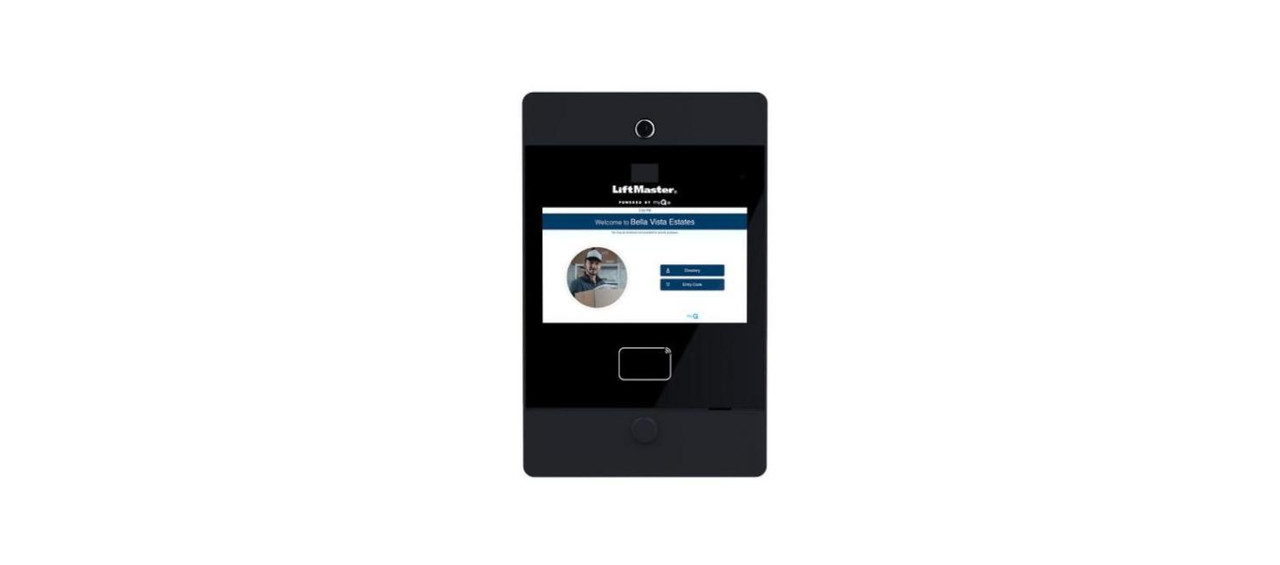
Liftmaster Telephone Entry & Access Panels
LiftMaster telephone entry systems and myQ Community smart access panels — complete units, ready to build into a new system. Pick a panel, add readers and credentials, and manage every door and gate from the myQ Community web portal and app. Replacement boards and service parts live in Liftmaster Access Control Parts.
Step 1 — pick the panel. Video intercoms: CAPXS (5" screen — gated homes and small buildings) · CAPXM (7" — mid-size buildings) · CAPXLV2 (10" — large communities). Access controllers without a screen: CAP4AP (outdoor, 2 doors / 4 access points) · CAPXAP (indoor panel — up to 8 doors or 16 access points, floor-level elevator control) · CAP2D (earlier 2-door controller). Keeping existing controllers? The CAPAC hub brings up to 4 existing access points onto myQ Community without replacing them.
Step 2 — add readers and credentials. SRDR smart readers (standard, mullion and keypad versions) take myQ mobile credentials and standard cards. The LMSC1000 long-range UHF reader reads SPLMUNTG vehicle tags at 20–30 ft for hands-free gate entry, and the KPR2000 is the wired keypad / prox reader.
Step 3 — expand and connect. CAP4EXPND expansion boards add 4 relays, 4 supervised inputs and 2 Wiegand inputs to the CAPXAP panel (and serve as the CAP4AP service kit). The CAPXAP-CNTL is the panel's main control board, and the MYQCOMM gateway adds cellular myQ connectivity to commercial operators.
Not sure which combination fits the property? Send the door and reader count to parts@gatehousesupplies.com or call 866-965-5599 and we will confirm the parts list before you order.
- LiftMaster CAPXLV2 Smart Video Intercom - L, 10" Touchscreen
- LiftMaster CAPXLVMC / CAPXLV Smart Video Intercom - L (Replaced by CAPXLV2)
- LiftMaster LMSC1000 RFID Long-Range Reader - Passive UHF 902-928 MHz, 20-30 ft, 26-Bit Wiegand - for CAPXL, CAPXLV, CAPXLV2, CAPXM and CAP2D
- LiftMaster CAPXM Smart Video Intercom - M, 7" Touchscreen
- LiftMaster CAPXAP Smart Access Controller Panel - 8 Doors Wiegand or 4 Doors OSDP or 16 Access Points, 50,000 Users, Expandable, myQ Community, Indoor
- LiftMaster CAP2D Smart Access 2-Door Controller - Cloud myQ Community Access Panel, 2 Wiegand Readers, 4 Relays, 25,000 Credentials
- LiftMaster CAPXAP-CNTL Smart Access Controller Panel Control Board - 4 Relays, Supports 4 CAP4EXPND Expansion Boards, Credential Forwarding
- LiftMaster CAPXS Smart Video Intercom - S, 5" Touchscreen
- LiftMaster CAP4AP Smart Access Controller - 4 Relays, 2 Wiegand or 4 OSDP Readers, 50,000 Users, Wi-Fi/Ethernet/PoE, myQ Community, Outdoor
- LiftMaster CAP4EXPND Smart Access Expansion Board - 4 Relays, 4 Supervised Inputs, 2 Wiegand Inputs, for CAPXAP; Service Kit for CAP4AP
- LiftMaster SRDRKPv2 Smart Reader 2nd Gen - Single Gang Keypad, myQ Mobile Credential, Prox & 13.56 MHz, OSDP/Wiegand, IP65 Outdoor
- LiftMaster SRDRMKv2 Smart Reader 2nd Gen - Mullion Keypad, myQ Mobile Credential, Prox & 13.56 MHz, OSDP/Wiegand, IP65 Outdoor