


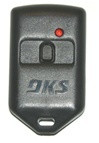
DoorKing DKS Gate Remotes & Key Fobs
DoorKing DKS Gate Remotes & Key Fobs
DoorKing — also written DKS and Door King — builds the gate remotes and key fobs used on residential driveways, gated communities and commercial entrances across the country. If you have been handed a small gray or black fob to open your gate, this is almost certainly what it is. DoorKing makes two transmitter families, and both work with any DoorKing receiver — the choice comes down to size, button count, and whether you need a proximity tag built in.
People call these gate remotes, gate fobs, key fobs, clickers or transmitters. They are all the same thing. If you are replacing one, the fastest route is to read the part number off the back of your existing unit and match it below.
MicroCLIK or MicroPLUS?
| Family | Series | Colour | Notes |
|---|---|---|---|
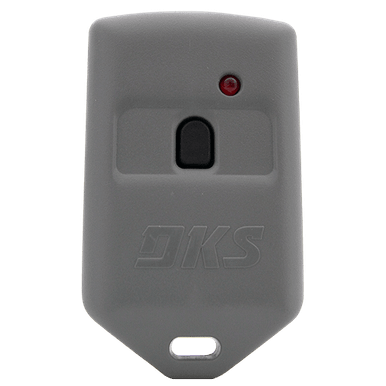
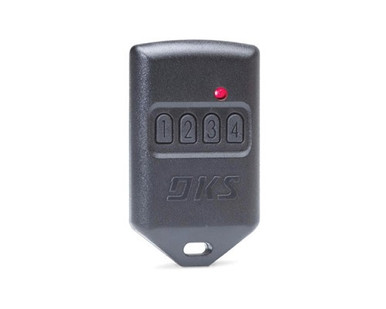
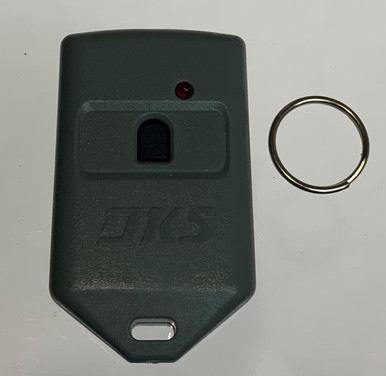
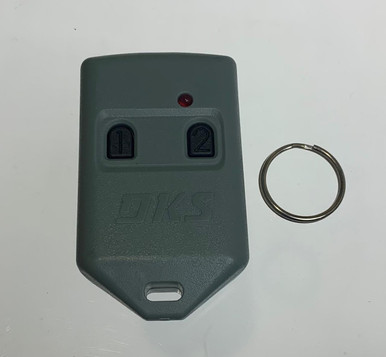
| MicroCLIK | 8066, 8067, 8068 | Gray | The compact key-fob style. 1, 2 or 3 button. |
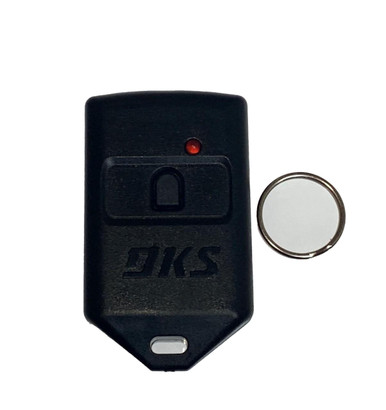
| MicroPLUS | 8069, 8070, 8071, 8096 | Black | The visor-style transmitter. 1, 2, 3 or 4 button. |
The last three digits are the important part. DoorKing part numbers end in a suffix that tells you whether the fob carries a proximity tag, and which tag format. Get this wrong and the remote will open the gate but will not read at a card reader.
Reading a DoorKing part number
| Suffix | What it carries |
|---|---|
| -080 | Radio only, no proximity tag |
| -082 | Radio + AWID proximity tag |
| -083 / -084 | Radio + HID proximity tag |
| -084 / -086 | Radio + IDTeck proximity tag |
| -085 / -087 | Radio + DKS Prox tag |
The tag type has to match the reader on your property, not the gate operator. If you don't know which reader is fitted, call us with the model number off the reader housing before ordering — the radio half is identical either way, but the prox half is not interchangeable.
MicroCLIK fobs — gray
| Part | Buttons | Prox tag |
|---|---|---|
| 8066-080 | 1 | None |
| 8066-082 | 1 | AWID |
| 8066-084 | 1 | IDTeck |
| 8066-085 | 1 | DKS Prox |
| 8067-080 | 2 | None |
| 8067-082 | 2 | AWID |
| 8067-083 | 2 | HID |
| 8068-082 | 3 | AWID |
| 8068-083 | 3 | HID |
| 8068-084 | 3 | DKS Prox |
MicroPLUS fobs — black
| Part | Buttons | Prox tag |
|---|---|---|
| 8069-080 | 1 | None |
| 8069-082 | 1 | AWID |
| 8069-084 | 1 | HID |
| 8069-086 | 1 | IDTeck |
| 8069-087 | 1 | DKS Prox |
| 8070-080 | 2 | None |
| 8070-082 | 2 | AWID |
| 8070-084 | 2 | HID |
| 8070-086 | 2 | IDTeck |
| 8070-087 | 2 | DKS Prox |
| 8071-080 | 3 | None |
| 8071-082 | 3 | AWID |
| 8071-084 | 3 | HID |
| 8071-086 | 3 | IDTeck |
| 8071-087 | 3 | DKS Prox |
| 8096-080 | 4 | None |
Receivers
| Part | What it is |
|---|---|
| 8040-080 | Standard DoorKing receiver. Replaces the 8056-080 and the 8059-080. |
| 8054-086 | MicroPLUS 1250M receiver — 1,250 transmitter memory, for community and multi-tenant gates |
Proximity cards, tags and readers
| Part | What it is |
|---|---|
| 1508-110 | IDTeck IDC proximity cards — lot of 50 |
| 1508-112 | IDTeck IDK proximity keytags / keyfobs |
| 1508-120 | DK Prox clamshell cards, stock codes — lot of 50 |
| 1508-136 | IDTeck IDC-170 clamshell, custom coded — lot of 50 |
| 1508-195 | DK Prox UHF windshield / headlight tag — minimum order 50 |
| 1815-302 | DK Prox reader, 2 inch range |
Cases, clips and spares
| Part | What it is |
|---|---|
| 8066-051 | MicroCLIK replacement case |
| 8066-075 | Gray holster clip |
| 8066-087 | Battery holder, 20mm coin cell |
| 8069-052 | MicroPLUS replacement case |
| 8069-075 | Black visor clip |
| 8070-052 | 2-button transmitter case, black, large |
Superseded part numbers
| Old part | Order instead |
|---|---|
| 8056-080 receiver | 8040-080 |
| 8059-080 receiver | 8040-080 |
Programming a DoorKing fob
DoorKing transmitters are enrolled into the receiver's memory rather than dip-switch matched. On a standard 8040-080 receiver, put it into learn mode and press the fob button to store it. On a 1250M or a telephone entry system, fobs are usually assigned to a specific memory slot against a resident's directory entry, which is done through the system programming rather than at the receiver.
If your gate runs a DoorKing telephone entry panel, transmitter management is part of the panel's programming — see DoorKing phone entry system parts.
Common questions
I just need a replacement fob for my gate — which one? Turn your existing fob over and read the part number off the back. It will be an 8066, 8067, 8068, 8069, 8070, 8071 or 8096 followed by three digits. Order the identical number and it will match your system. If the label has worn off, send us a photo.
My community gave me a fob and I lost it. Ask the property manager which DoorKing transmitter the site uses, or send us a photo of a neighbour's. On most community systems the fob also has to be enrolled by whoever manages the gate, so check that before ordering.
What's a Proxmitter? A DoorKing fob with a proximity tag moulded in. One device operates the gate by radio and badges at a card reader. It saves residents carrying two credentials.
Which prox tag do I need? Whichever format the reader on the property uses — AWID, HID, IDTeck or DKS Prox. The radio half is the same across all of them. Match the reader, not the gate.
Will a MicroCLIK work with a MicroPLUS receiver? Yes. Both families use the same DoorKing radio format. Choose on size and button count.
How many fobs will a receiver hold? The standard 8040-080 handles a household or small site. The 8054-086 MicroPLUS 1250M holds 1,250, which is the community-gate answer.
My fob stopped working. Battery first — these take a 20mm coin cell. If a new battery doesn't fix it, the fob may have been erased from the receiver during a memory reset and needs re-enrolling.
Related
DoorKing gate operators · DoorKing gate operator parts · DoorKing phone entry parts · DoorKing wireless access control · all remote controls
Not sure which fob or prox format you need? Call 866-965-5599 or email parts@gatehousesupplies.com — we can identify it from the reader model or a photo.
DoorKing DKS Gate Remotes & Key Fobs

![Doorking black holster clip [8069-075]](https://cdn11.bigcommerce.com/s-32eq2wsbti/products/10830/images/233532/8069-070_image__17960.1752694215.386.513.jpg?c=2)



![Doorking 1508-136 IDteck IDC 170 Clamshell Card custom coded proximity cards [lot of 50]](https://cdn11.bigcommerce.com/s-32eq2wsbti/products/14001/images/226550/doorking-1508-136-idteck-idc-170-clamshell-card-custom-coded-proximity-cards-1508-136__61059.1789589276.386.513.jpg?c=2)
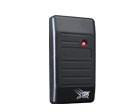

- DoorKing 8069-080 MicroPLUS 1-Button Gate Remote Transmitter
- Doorking 1508-120 DK Prox Clamshell-Stock codes [lot of 50]
- DoorKing 8066-080 MicroCLIK 1-Button Gray Gate Remote Fob
- Doorking 8069-075 Black Visor Clip
- DoorKing 1508-195 DK Prox UHF Windshield / Headlight Tag for the 1815-350 Long-Range Reader - Factory-Coded 26-Bit Wiegand, Tamper-Evident
- Doorking 8070-080 Microplus Transmitter two button black
- Doorking 8069-087 Microplus Proxmitters DKS Tag one button
- Doorking 1508-136 IDteck IDC 170 Clamshell Card custom coded proximity cards [lot of 50]
- Doorking 8069-084 Microplus Proxmitters HID Tag one button
- DoorKing 8067-080 MicroCLIK 2-Button Gate Remote Transmitter, Gray - 318 MHz, 26-Bit Wiegand, HomeLink Compatible, FCC ID LSD66T
- Doorking 8069-086 Microplus Proxmitters ID Tech Tag one button
- Doorking 8066-075 gray holster clip