


Chamberlain 953EV & 956EV - Yellow Learn Button
Chamberlain 953EV & 956EV — Yellow Learn Button Remotes
The 953EV and 956EV are Chamberlain's Security+ 2.0 remotes for openers with a yellow learn button. The 953EV is the three-button visor remote; the 956EV is the three-button keychain version. Both operate the same openers — pick on where you want to carry it.
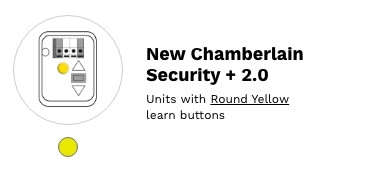
Check the learn button before ordering. These work on yellow learn button openers only. If yours is purple, red, orange or green, you need a different generation — see the table below.
Which remote?
| Model | Buttons | Style |
|---|---|---|
| 890MAX | 3 | Mini keychain remote |
| 891LM | 1 | Single-button visor remote — the cheapest option if you only have one door |
| 892LT | 2 | Two-button learning remote |
| 893MAX | 3 | Visor remote, tri-band. Also covers purple, red, orange and green openers, so it handles a mixed property. |
| 894LT | 4 | Four-button learning remote |
| 953EV | 3 | Visor remote |
| 956EV | 3 | Mini keychain remote |
| L932M | 2 | Keychain remote — also works with Security+ 3.0 |
| L992U | 2 | Universal — learns from an existing working remote |
| L993M | 3 | Visor remote — also works with Security+ 3.0 |
Chamberlain, LiftMaster and Craftsman share the same radio platform. Chamberlain owns all three brands, so a matching-generation remote from any of them will operate your opener. Only the badge differs — which is why LiftMaster-branded remotes appear on this page alongside the Chamberlain ones.
Is my learn button yellow?
It is on the motor unit, not the wall control — on the back or side, usually beside the antenna wire. If it is a different colour, order from the matching generation instead:
| Learn button | Format | Go to |
|---|---|---|
| Yellow | Security+ 2.0 | This page |
| Purple | Security+ 315 MHz | 37xLM series |
| Red / orange | Security+ 390 MHz | 97xLM series |
| Green | Billion Code 390 MHz | 8xLM series |
| Grey / white / none | Dip switches, pre-1993 | 6xLM series |
| Opener bought very recently | Security+ 3.0 | Security+ 3.0 remotes |
Wireless keypads
| Model | What it is |
|---|---|
| 878MAX | Tri-band wireless keypad — works with Security+ 2.0 and older systems |
| 877LM | Security+ 2.0 wireless keypad |
| L979M | Keypad — also works with Security+ 3.0 |
| L979U | Universal keypad |
Clips and covers
| Part | What it is |
|---|---|
| 041-0494-000 | Remote control visor clip |
| 041-0495-000 | Keypad battery cover |
Programming
1. Press and release the yellow learn button on the motor unit. The LED beside it comes on for about 30 seconds.
2. Within those 30 seconds, press the button on the new remote.
3. The opener light flashes or the unit clicks to confirm. Test the door.
To erase every remote from memory, press and hold the learn button until the LED goes out — around six seconds. That clears all of them, so reprogram every remote you want to keep.
Common questions
What is the difference between the 953EV and the 956EV? Nothing electrically — both are three-button Security+ 2.0 remotes. The 953EV clips to the sun visor, the 956EV goes on a keyring.
Can I use a LiftMaster remote instead? Yes. Chamberlain, LiftMaster and Craftsman share the same radio platform, so a Security+ 2.0 remote from any of them works on a yellow learn button opener.
Will these work on a Security+ 3.0 opener? No. If your opener was bought very recently, check whether it is 3.0 — see Security+ 3.0 remotes. The L932M, L993M and L979M on this page cover both 2.0 and 3.0 if you are not sure.
My remote stopped working. Change the battery first. It is the cause the overwhelming majority of the time.
It programmed but the range is poor. Check the antenna wire hangs freely from the motor unit and is not coiled up or tucked away.
Related
all Chamberlain remotes · Security+ 2.0 remotes · wireless keypads · all remote controls
Not sure which remote you need? Send a photo of the learn button on your opener to parts@gatehousesupplies.com or call 866-965-5599.
- LiftMaster 893MAX 3-Button Remote Control - Security+ 2.0, Security+ and Multi-Frequency (315 / 390 MHz) - Replaces 893LM, 971LM, 973LM, 371LM, 373LM
- LiftMaster 892LT 2-Button Learning Remote - Security+ 2.0 and Security+, Clones Chamberlain / LiftMaster DIP Switch Codes
- LiftMaster 891LM 1-Button Security+ 2.0 Remote (Yellow Learn Button) - Garage Door Opener and Gate Remote
- LiftMaster 894LT 4-Button Learning Remote - Security+ 2.0 and Security+, Clones DIP Switch Codes - Replaces 374LM, 974LM
- Liftmaster 890MAX Mini key chain remote control [G890MAXMC]
- Liftmaster 878MAX Wireless Keypad
- Chamberlain 953EV (use 893 max)
- Liftmaster 877LM Wireless Keypad
- Chamberlain 956EV Mini key chain remote control
- LiftMaster L979U Universal Wireless Keypad (Chamberlain CHU48) - LiftMaster, Chamberlain, Craftsman 1993 On incl. Green Button, Genie, Linear, Stanley
- Liftmaster L932M, 2-Button Keychain Remote
- LiftMaster L993M 3-Button Remote - Security+ 3.0 (White Learn Button), Security+ 2.0 and Security+ - Multi-Frequency, Replaces 893MAX