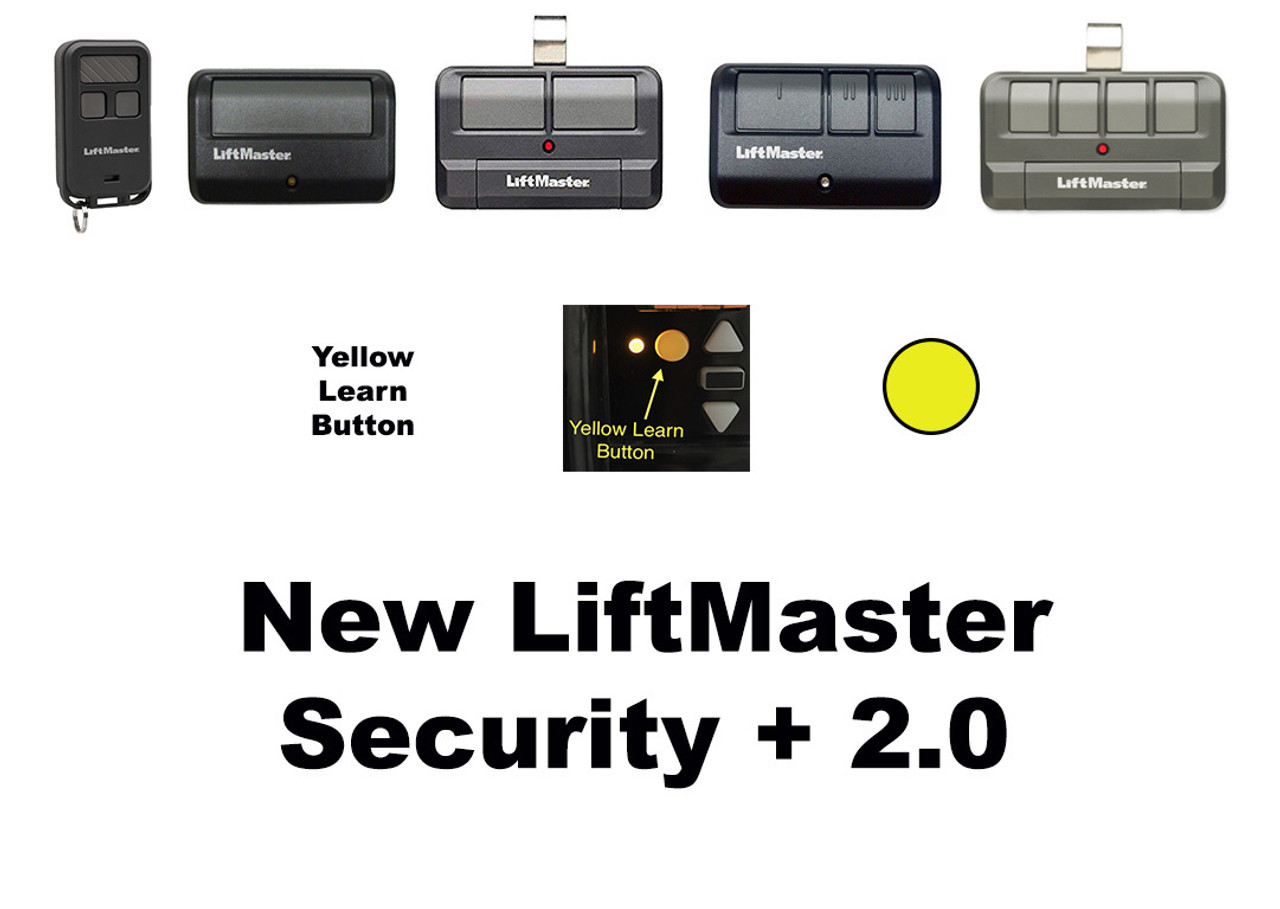
Security+ 2.0 Remotes - Yellow Learn Button

LiftMaster Security+ 2.0 Remotes & Keypads

Security+ 2.0 — written variously as Security Plus 2.0, Security+ 2.0 and Security 2.0 — is LiftMaster's rolling-code radio format. Every press sends a new code, so a captured signal cannot be replayed at your gate or garage. It runs tri-band across 310, 315 and 390 MHz, which is why one remote covers a range of openers that older single-frequency systems could not.

The fastest way to check: look at the learn button on your opener. If it is yellow, you have Security+ 2.0 and everything on this page will work. If it is purple, red/orange or green, you have an older format — the table below shows what to order instead.

Which learn button colour do I have?

The learn button is on the back or side of the motor unit, usually beside the antenna wire. On a gate operator it is inside the control box.

Learn button Format Single button Multi button
Yellow Security+ 2.0 891LM 892LT, 893LM, 894LT
Purple Security+ 315 MHz 371LM 892LT, 893MAX, 894LT
Red / orange Security+ 390 MHz 971LM 892LT, 893MAX, 894LT
Green Older 390 MHz 893MAX
Grey / no learn button Pre-1993 dip switch A dip-switch remote — count the switches and match the format

If you only need one button, don't buy three. On a purple learn button opener the 371LM does the job; on red or orange it is the 971LM. Both cost less than a three-button remote. Step up to the 893MAX when you need multiple buttons, when the learn button is green, or when one remote has to cover several openers on different frequencies.

Security+ 2.0 remotes — yellow learn button

Model Buttons Notes
891LM 1 Single-button visor remote. The straightforward choice for one door.
892LT 2 Learning remote — also programs to non-LiftMaster systems. Replaces the 372LM, 362LM and 972LM.
893LM 3 Security+ 2.0 three-button visor remote
894LT 4 Four-button learning remote. Replaces the 374LM, 363LM and 974LM.
890MAX 3 Mini keychain remote
L932M 2 Keychain remote
L993M 3 Three-button remote

Older openers — purple, red / orange and green learn buttons

You do not need a Security+ 2.0 remote for these. Start with the cheapest unit that has enough buttons and matches your frequency.

Model Buttons For
371LM 1 Purple learn button, 315 MHz. The lowest-cost answer when one button is all you need.
971LM 1 Red / orange learn button, 390 MHz
892LT 2 Learning remote — programs from an existing working remote
893MAX 3 Tri-band 310/315/390 MHz. Covers yellow, purple, red and green in one remote — and the answer for a green learn button. Replaces the 371LM, 971LM, 973LM and 893LM.
894LT 4 Four-button learning remote

Commercial door remotes — not for residential openers

The 811LMX and 813LMX work with commercial door receivers only. They will not operate a residential garage door opener, whatever colour its learn button is. If you have a garage door opener at home, use one of the remotes above instead.

Model Buttons Covers
811LMX 1 Commercial door receivers — dip switch plus Security+ 2.0
813LMX 3 Commercial door receivers — 390 MHz, 315 MHz and Security+ 2.0

For the operators these pair with, see LiftMaster commercial door operators.

Universal remotes

The 374UT and 380UT are being phased out. Reach for a universal only when the property runs non-LiftMaster equipment as well. For LiftMaster openers, a 371LM, 971LM or 893MAX is the better answer — and a universal needs a working remote to learn from, which the 893MAX does not.

Model Buttons Status
L992U 2 Current universal remote
374UT 1, mini Being phased out — while stocks last
380UT 2 Being phased out — while stocks last

Wireless keypads

Model What it is
878MAX Tri-band wireless keypad. Works with Security+ 2.0 and older LiftMaster systems.
877LM Security+ 2.0 wireless keypad
L979M Keypad
L979U Universal keypad
VKP1-LM myQ Smart Garage video keypad — camera and intercom built in
VKP1-MYQ Chamberlain-branded myQ video keypad

Receivers

Fitting a receiver lets a Security+ 2.0 remote operate equipment that has no compatible radio of its own — a commercial operator, a gate, or another brand entirely.

Model What it is
850LM Universal receiver, indoor
860LM Universal receiver, weather resistant — for outdoor gate installations
85LM Plug-in AC transformer for universal radio controls
95LM Transformer option

Clips, covers and batteries

Part What it is
041-0494-000 Remote control visor clip
041-0495-000 Keypad battery cover
041D0541 Keypad battery cover
041D0621 877MAX cover only
895MAX battery set Replacement battery set
VKP1-MYQ-BT1 myQ video keypad rechargeable battery
RTM Leather case for mini remotes

Superseded part numbers

Old model Buttons Order instead
371LM — purple, 315 MHz 1 371LM aftermarket or 893MAX
971LM — red/orange, 390 MHz 1 971LM or 893MAX
362LM / 372LM / 972LM 2 892LT
973LM / 893LM 3 893MAX
363LM / 374LM / 974LM 4 894LT
374UT / 380UT — phasing out 893MAX or L992U

Programming a Security+ 2.0 remote

1. Find the yellow learn button on the motor unit — usually beside the antenna wire, sometimes under a light lens.
2. Press and release it. The LED beside it comes on for about 30 seconds.
3. Within those 30 seconds, press the button on the new remote you want to program.
4. The opener light flashes or the unit clicks to confirm. Test the door.

To erase every remote from memory, press and hold the learn button until the LED goes out — around six seconds. That clears all of them, so you will need to reprogram every remote afterwards.

Doing this on a gate operator? The learn button is inside the control box, not on the outside of the machine. On Logic 5.0 boards there are separate learn buttons for open, close and partial-open channels — press the one for the function you want that button to perform.

Common questions

Security+ or Security+ 2.0 — what's the difference? Security+ was the earlier rolling-code system on a single frequency, with a purple or red learn button. Security+ 2.0 is tri-band across 310, 315 and 390 MHz with a yellow learn button. A 2.0-only remote will not work on an older opener — use a 371LM for purple, a 971LM for red or orange, or the tri-band 893MAX for any of them.

My learn button is purple. What do I order? A 371LM if you only need one button, or the 893MAX for three.

My learn button is green. What do I order? The 893MAX.

Do I need the 893MAX or will something cheaper do? If you have one door and one older opener, the single-button 371LM or 971LM is enough and costs less. The 893MAX earns its price when you need several buttons, when the learn button is green, or when one remote has to cover openers on different frequencies.

Will a Security+ 2.0 remote work with myQ? Yes. myQ is the Wi-Fi and app layer; Security+ 2.0 is the radio between remote and opener. They are independent and both work at once.

Will the 811LMX or 813LMX work on my garage door opener? No. Those are for commercial door receivers only.

How many remotes can one opener hold? Most LiftMaster openers store several remotes and keypads. If a new one refuses to program, the memory may be full — erase and reprogram, or check the manual for the limit on your model.

My new remote programmed but doesn't work from the driveway. Check the antenna wire is hanging down freely from the motor unit and not coiled or tucked up.

Can I use a Chamberlain remote on a LiftMaster opener? Yes, if the learn buttons match. LiftMaster, Chamberlain and Craftsman share the same radio platform — only the branding differs.

Related

all LiftMaster remotes · wireless keypads · universal remote controls · LiftMaster gate operator parts · all remote controls

Not sure which remote you need? Send a photo of the learn button on your opener to parts@gatehousesupplies.com or call 866-965-5599 — we will identify it in a minute.