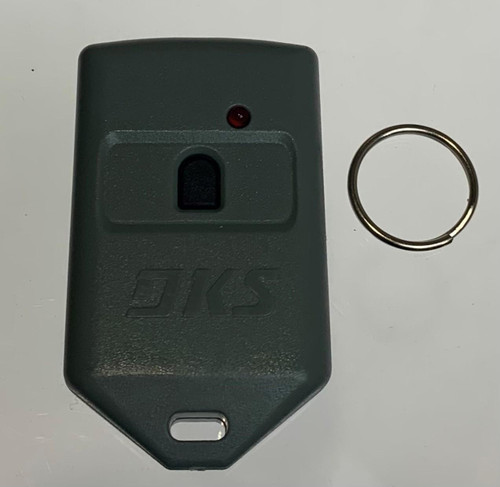


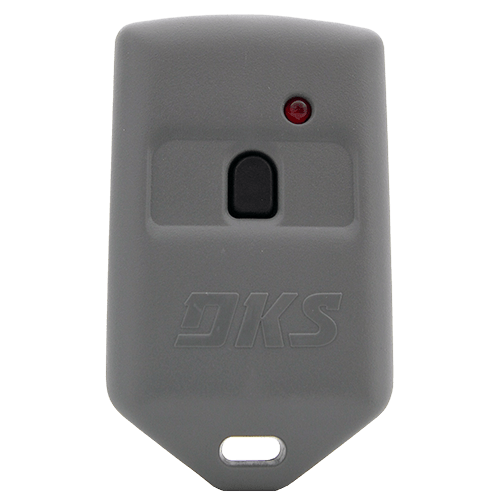
DoorKing 8066-080 MicroCLIK — 1-Button Gray Gate Fob
The DoorKing 8066-080 is the one-button MicroCLIK transmitter — the small gray keychain fob used on DoorKing gate operators, telephone entry panels and stand-alone access control systems. It is the compact alternative to the black visor-style MicroPLUS, and the usual choice where a resident wants something that lives on a keyring rather than clipped to a sun visor.
FCC ID LSD8068TX. The -080 suffix means radio only — no proximity tag built in.
Is this the right fob for me?
Turn your existing fob over and read the part number. If it says 8066-080, this is a direct replacement. If it ends in different digits, you have a Proxmitter with a proximity tag built in and you need the matching version:
| Part number | What it carries |
|---|---|
| 8066-080 | Radio only — this fob |
| 8066-082 | Radio + AWID proximity tag |
| 8066-084 | Radio + IDTeck proximity tag |
| 8066-085 | Radio + DKS Prox tag |
If your property has a card reader as well as a gate, a Proxmitter lets one device do both. The prox format has to match the reader on site, not the gate operator.
MicroCLIK or MicroPLUS?
Both families use the same DoorKing radio format and work with the same receivers. The difference is physical.
| Family | Style | Colour | Series |
|---|---|---|---|
| MicroCLIK | Compact keychain fob | Gray | 8066, 8067, 8068 |
| MicroPLUS | Visor-style transmitter | Black | 8069, 8070, 8071, 8096 |
Specifications
| Part number | 8066-080 |
|---|---|
| Family | MicroCLIK |
| Buttons | 1 |
| Colour | Gray |
| Proximity tag | None |
| FCC ID | LSD8068TX |
| Dimensions | 2.5" × 1.5" × 0.5" |
| Battery | 20 mm coin cell |
| Clip | 8066-075 gray holster clip, sold separately |
Custom coding — read before ordering in bulk
Custom coded units are available for managed properties, but they carry a minimum order of 10 pieces, in multiples of 10. Include your facility code (FC) and the starting number in the comment box at checkout, or call us with them.
If you are simply replacing one lost fob on an existing system, you do not need custom coding — order the standard unit and have it enrolled.
Programming
DoorKing transmitters are enrolled into the receiver's memory rather than dip-switch matched. On a standard 8040-080 receiver, put it into learn mode and press the fob button once to store it.
On a telephone entry panel or a 1250M receiver, fobs are assigned to a memory slot against a resident's directory entry through the system programming, not at the receiver. On a managed community gate that is usually the property manager's job, so check who handles enrollment before ordering.
DoorKing programming instructions (PDF)
Compatibility
Works with DoorKing gate operators, DoorKing telephone entry systems, and DoorKing stand-alone access control. Both the MicroCLIK and MicroPLUS families share the same DoorKing radio format, so this fob works with any DoorKing receiver.
Not compatible with LiftMaster, Linear, Multi Code or any other manufacturer's receiver — this is a DoorKing transmitter for DoorKing equipment.
Common questions
What battery does it take? A 20 mm coin cell. If the fob has stopped working, change the battery before assuming it has failed — that is the cause most of the time.
I replaced the battery and it still doesn't work. The fob may have been erased from the receiver during a memory reset, or the receiver's memory is full. Either way it needs re-enrolling.
Can I get a two or three button version? Yes — 8067-080 is two button. Three-button MicroCLIK units come with a prox tag: 8068-082 AWID, 8068-083 HID, 8068-084 DKS Prox.
My community gave me this fob and I lost it. Order the same part number, then arrange enrollment with whoever manages the gate. On most community systems you cannot program it yourself.
Do you supply these in quantity? Yes. We supply installers, HOAs and property managers regularly — call for volume pricing.
Related
8067-080 two button · 8066-075 holster clip · 8066-051 replacement case · 8066-087 battery holder · 8040-080 receiver · all DoorKing remotes and fobs
Not sure which fob you need? Send a photo of your existing one to parts@gatehousesupplies.com or call 866-965-5599.